


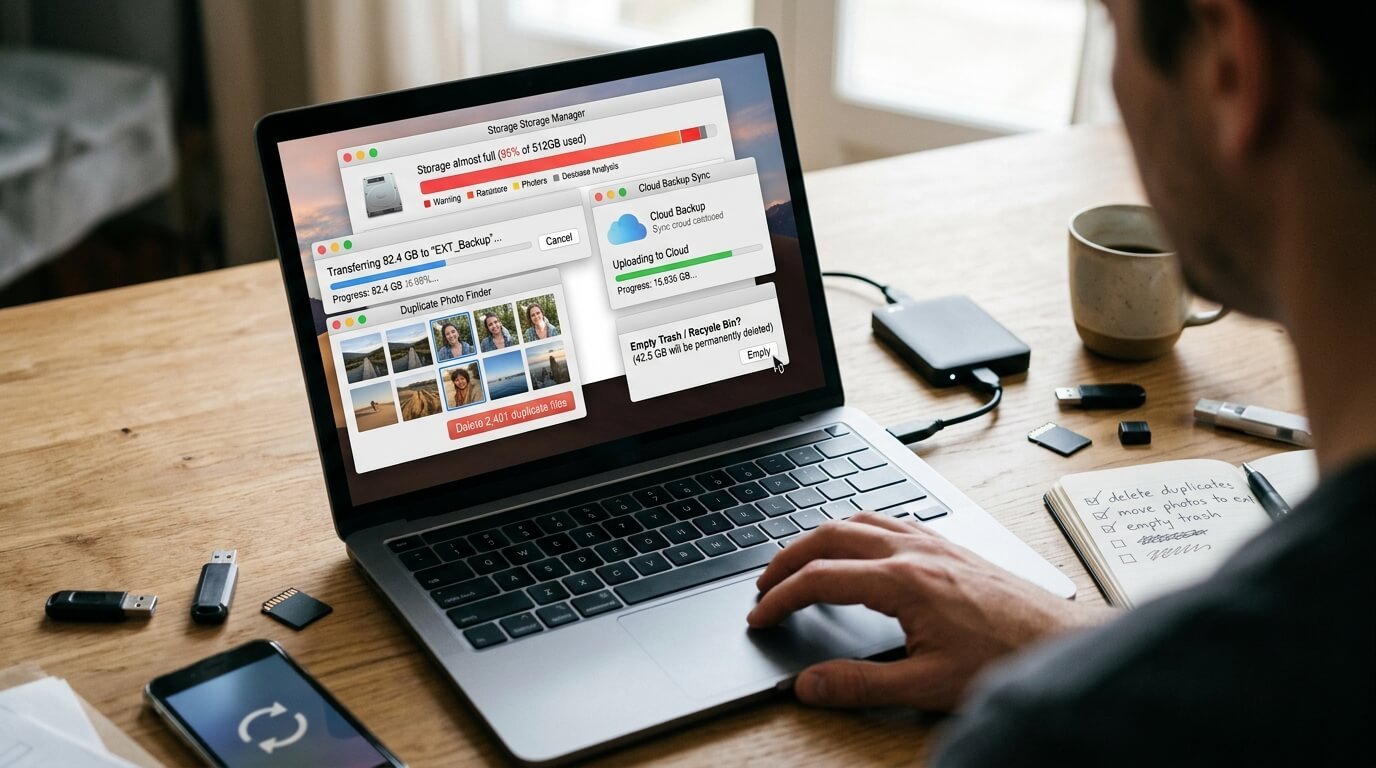
Digital storage can disappear faster than expected. Photos, videos, downloaded files, unused apps, duplicate documents, and temporary data can quietly fill a phone or computer. Learning the right ways to free up digital storage can give you more room without deleting files you still need.
Check What Is Using Your Storage First
Before deleting random files, check which categories are taking up the most space. Most phones and computers provide a storage screen that shows how much room is being used by apps, photos, videos, documents, and other files.
This simple check can save time because you can focus on the biggest storage users first. If videos are taking up most of the space, removing old apps will not make much difference.
On Android, you can usually find this information under Settings and Storage. On an iPhone, Settings, General, and iPhone Storage shows the apps and categories consuming space.
| Quick Information | Details |
|---|---|
| Topic | Ways to Free Up Digital Storage |
| Best For | Phones, tablets, laptops, and computers |
| Main Storage Problems | Photos, videos, apps, downloads, duplicates, caches |
| Safest First Step | Check what is using the most space |
| Useful Tools | Built-in storage settings, cloud storage, external drives |
Delete Photos and Videos You No Longer Need
Photos and videos are among the biggest reasons devices run out of storage. A few long videos can consume more space than hundreds of ordinary photographs, especially when they are recorded at high resolution.
Start by looking for blurry pictures, duplicate shots, screenshots, old screen recordings, and videos you have already shared. Review them before deleting anything so an important memory is not removed accidentally.
If you have a large collection, consider moving older files to a computer or external drive. Cloud storage can also help keep files available without requiring every full-size copy to remain on your device.
Use Cloud Storage Carefully
Cloud storage is one of the practical ways to free up digital storage while keeping access to important files. Services can store photos, documents, and other files online so they do not all have to occupy local device storage.
For example, Google Photos can remove local copies of photos that have already been backed up. On iPhone, iCloud Photos with Optimize iPhone Storage can keep smaller versions on the device while full-resolution originals remain in iCloud.
However, do not assume that every cloud service is automatically a complete backup. Important files should ideally have another copy, especially documents, family photographs, and other information that would be difficult to replace.
Remove Apps You Rarely Use
Apps can take up much more space than their original download size because they may collect documents, media, downloads, and temporary data over time. Games and entertainment apps can be particularly large.
Look through your installed apps and remove anything you have not used for months. If you need the app again later, you can usually download it again from the appropriate app store.
Some devices also provide options that remove an unused app while keeping certain personal data. Android supports automatic app archiving, while iPhone offers Offload Unused Apps.
Clean Your Downloads Folder
The Downloads folder is easy to forget. It can contain old PDFs, installation files, images, videos, documents, and files that were downloaded once and never opened again.
Sort the folder by file size or date if your device allows it. Large and very old files are good candidates for review because they may no longer have any practical value.
Be more careful with work documents, receipts, identification files, and other records. If you are unsure whether something is important, move it to another location instead of permanently deleting it.
Remove Offline Downloads
Streaming apps can store a surprising amount of content on your device. Downloaded movies, television episodes, music, podcasts, and playlists may continue occupying storage long after you have finished using them.
Open your entertainment apps and review their downloaded content. Delete movies you have watched, old podcast episodes, and music you no longer need offline.
This can be particularly useful when your storage is almost full but you do not want to remove personal photographs or important documents. Android also recommends reviewing downloaded media when clearing storage.
Clear Temporary Files and App Cache
Temporary files can build up as you browse websites and use different applications. Some apps store cached images, videos, thumbnails, and other information to make future loading faster.
On Android, clearing an app’s cache can remove temporary data without necessarily removing your personal information. However, clearing an app’s full storage or data is different and can remove saved information, so check the option carefully before confirming.
On computers, temporary files can also accumulate over time. Use the operating system’s built-in storage cleanup tools instead of deleting unfamiliar system folders manually.
Find Duplicate Files
Duplicate files are another easy target when looking for ways to free up digital storage. You may have several copies of the same photograph, downloaded document, video, or presentation.
This often happens when files are shared through messaging apps or downloaded repeatedly. Instead of checking thousands of files one by one, use your device’s duplicate detection feature if it has one.
Before removing duplicates, open the files and make sure they are genuinely identical. Two files with similar names may contain different versions of the same document.
Clean Up Messaging Apps
Messaging applications can quietly collect large amounts of media. Photos, videos, voice messages, documents, and forwarded files may remain stored even when you have forgotten about them.
Check the storage section of your messaging apps and look for large files. Remove videos or documents that are no longer useful, especially from busy group conversations.
Do not delete important family photographs, work documents, or other files simply because they are large. Save anything important somewhere safe before clearing it.
Empty the Trash and Recently Deleted Folders
Deleting a file does not always mean it disappears immediately. Many phones, computers, and photo applications move deleted items into a Trash or Recently Deleted folder first.
Those files can continue using storage until the folder is emptied. Once you are certain that you do not need them, permanently remove the contents.
This step is easy to overlook and can sometimes recover a noticeable amount of space without touching your main collection of files.
Move Large Files to an External Drive
If you have files that you rarely use but do not want to delete, an external drive can be a useful solution. This is especially helpful for large video collections, old projects, photographs, and archived documents.
Copy the files to the external drive and check that they open correctly before deleting the original copies. Keeping only one copy of an important file is risky because storage devices can fail.
For particularly valuable files, consider maintaining two separate copies in different locations. That gives you more protection if one device becomes damaged or stops working.
Make Storage Cleaning a Regular Habit
You do not have to wait until your device displays a storage warning. A short monthly review can prevent unnecessary files from building up again.
Start with photos, videos, downloads, unused apps, offline media, and large messaging attachments. These areas often provide the quickest opportunities to recover space.
The best ways to free up digital storage are not about deleting everything. They are about identifying what you actually need, protecting important files, and removing digital clutter that no longer serves a purpose.
Frequently Asked Questions
What are the easiest ways to free up digital storage?
Start with large videos, duplicate photos, unused apps, downloads, and offline media. These areas often contain files that can be removed without affecting essential device functions.
Should I delete photos to get more storage?
Only delete photos after checking that you have another safe copy. You can move them to a computer, external drive, or trusted cloud service before removing the local versions.
Does clearing an app cache delete my personal files?
Clearing a cache generally removes temporary files, but clearing an app’s storage or data can have a different effect. Android specifically distinguishes between clearing cache and clearing storage, so check the option before confirming.
Why is my storage full when I do not have many apps?
Photos, videos, downloaded media, messaging attachments, temporary files, and documents can consume large amounts of space. Checking the storage breakdown will show which category is responsible.
Is cloud storage better than an external drive?
They serve different purposes. Cloud storage is convenient for accessing files across devices, while an external drive gives you a physical copy that does not depend on an internet connection.
How often should I clean my digital storage?
Checking your storage once a month is a practical habit. If you take many photos, download lots of videos, or regularly receive large files, you may need to check it more often.

1 Comment
Pingback: Reasons Websites Load Slowly: Common Causes and Solutions - Paperomagazine